
README.md (2951B)
BHCLI
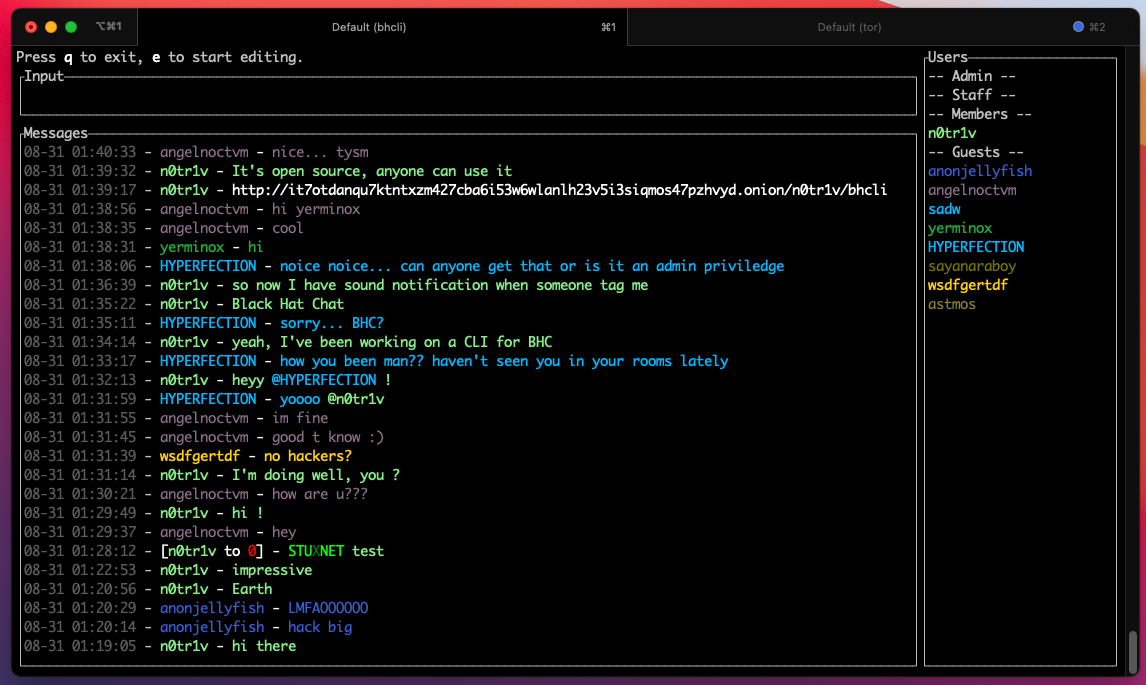
Description
This is a CLI client for any of le-chat-php currently supported chats are Black Hat Chat and Daniel's chat
Pre-built binaries
Pre-buit binaries can be found on the official website
Features
- Sound notifications when tagged/pmmed
- Private messages
/pm username message - Kick someone
/kick username message|/k username message - Delete last message
/dl - Delete last X message
/dl5will delete the last 5 messages - Delete all messages
/dall - Ignore someone
/ignore username - Unignore someone
/unignore username - Toggle notifications sound
m - Toggle a "guest" view, by filtering out PMs and "Members chat"
shift+G - Filter messages
/f terms - Copy a selected message to clipboard
ctrl+C|y - Copy the first link in a message to clipboard
shift+Y - Directly tag author of selected message
twill prefil the input with@username - Directly private message author of selected message
pwill prefil the input with/pm username - Shortcut to kick author of selected message
ctrl+kwill prefil the input with/kick username - captcha is displayed directly in terminal 10 times the real size
- Upload file
/u C:\path\to\file.png @username message(@username is optional)@membersfor members group <tab>to autocomplete usernames while typing
Editing mode
ctrl+AMove cursor to start of linectrl+EMove cursor to end of linectrl+FMove cursor a word forwardctrl+BMove cursor a word backward
Messages navigation
- Page down the messages list
ctrl+D|page down - Page up the messages list
ctrl+U|page up - Going down 1 message
j|down arrow - Going up 1 message
k|up arrow - Jump to Top Message
gg
Build from source
Windows
- Install C++ build tools https://visualstudio.microsoft.com/visual-cpp-build-tools/
- Install Rust https://www.rust-lang.org/learn/get-started
- Download & extract code source
- Compile with
cargo build --release
OSx
- Install Rust https://www.rust-lang.org/learn/get-started
- Compile with
cargo build --release
Linux
- Install Rust
- Install dependencies
apt-get install -y pkg-config libasound2-dev libssl-dev cmake libfreetype6-dev libexpat1-dev libxcb-composite0-dev libx11-dev - Compile with
cargo build --release
Cross compile
cargo build --release --target x86_64-pc-windows-gnu
Profiles
To automatically login when starting the application, you can put the following content in your config file /path/to/rs.bhcli/default-config.toml
[profiles]

[profiles.default]
username = "username"
password = "password"