
README.md (4619B)
BHCLI
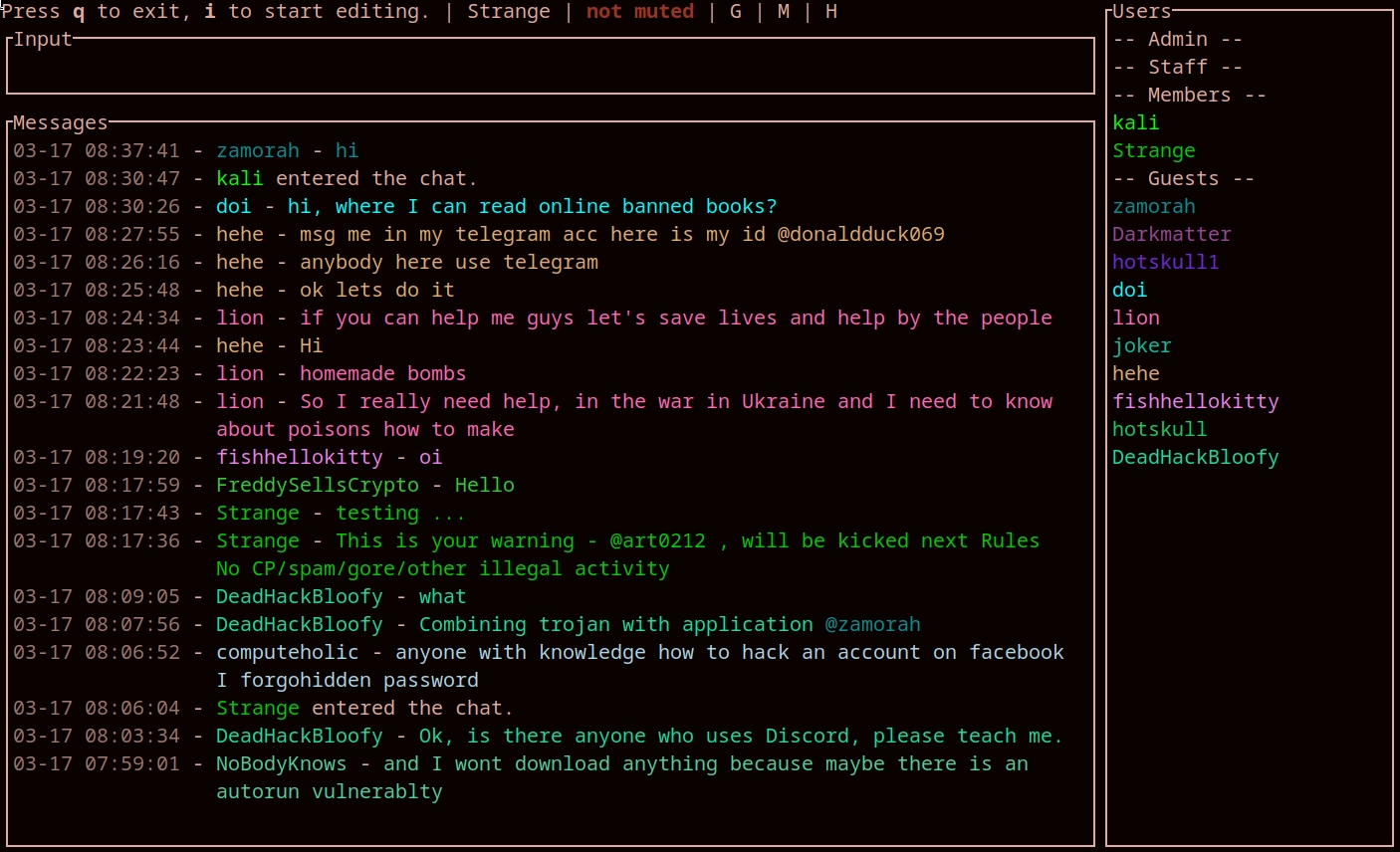
Description
This is a CLI client for any of le-chat-php Officially supported chats are Black Hat Chat
Tested working on [ --url ] :
Pre-built binaries
Pre-buit binaries can be found on the official website
Features
- Sound notifications when tagged/pmmed
- Private messages
/pm username message - Kick someone
/kick username message|/k username message - Delete last message
/dl - Delete last X message
/dl5will delete the last 5 messages - Delete all messages
/dall - Ignore someone
/ignore username - Unignore someone
/unignore username - Toggle notifications sound
m - Toggle a "guest" view, by filtering out PMs and "Members chat"
shift+G - Toggle a "members" view, by filtering out PMs and "Guest chat"
shift+M - Filter messages
/f terms - Copy a selected message to clipboard
ctrl+C|y - Copy the first link in a message to clipboard
shift+Y - Directly tag author of selected message
twill prefil the input with@username - Directly private message author of selected message
pwill prefil the input with/pm username - Shortcut to kick author of selected message
ctrl+kwill prefil the input with/kick username - captcha is displayed directly in terminal 10 times the real size
- Upload file
/u C:\path\to\file.png @username message(@username is optional)@membersfor members group <tab>to autocomplete usernames while typingctrl + wor !warn username to send a pre-kick warning message to a user
[ Only for members+ users ] > This is your warning @username, will be kicked next !rules
- Can hide messages with
backspace, hidden messages can be viewed by toggling
ctrl+ H.
> - Hidden messages are just hidden from the view, they are not deleted
> - Deleted messages once hidden can't be viewed again
- Download an embedded file into cwd with
d - Download an embedded file and open it with xdg-open into cwd with
D shift + Tfor translating text to english. [ must have translate-shell installed on arch or debain ]
> pacman -S translate-shell
- Custom personal command creation for members+ [ read Command Creation ]
Editing mode
ctrl+AMove cursor to start of linectrl+EMove cursor to end of linectrl+FMove cursor a word forwardctrl+BMove cursor a word backward
Messages navigation
- Page down the messages list
ctrl+D|page down - Page up the messages list
ctrl+U|page up - Going down 1 message
j|down arrow - Going down 5 message
J(CAPS) - Going up 1 message
k|up arrow - Going up 5 message
K(CAPS) - Jump to Top Message
gg
Build from source
Windows
- Install C++ build tools https://visualstudio.microsoft.com/visual-cpp-build-tools/
- Install Rust https://www.rust-lang.org/learn/get-started
- Download & extract code source
- Compile with
cargo build --release
OSx
- Install Rust https://www.rust-lang.org/learn/get-started
- Compile with
cargo build --release
Linux
- Install Rust
- Install dependencies
apt-get install -y pkg-config libasound2-dev libssl-dev cmake libfreetype6-dev libexpat1-dev libxcb-composite0-dev libx11-dev - The manual way
- The MAKEFILE way
- The bhcli.log file will be created in the same directory as the pwd you run
- Compile with
cargo build --release- Run with
./target/release/bhcli- You can move the binary to
/optto make it available system wide [ given that u have /opt in $PATH ]- Compile with
make linux- Run with bhcli [ given that u have /opt in $PATH ]
the binary from
Cross compile
cargo build --release --target x86_64-pc-windows-gnu
Profiles
To automatically login when starting the application, you can put the following content in your config file /path/to/rs.bhcli/default-config.toml
[profiles]

[profiles.default]
username = "username"
password = "password"
Custom Commands
U can create ur own custom personal commands using the format below.<br> The commands are not created on the server but rather edited on clien tand sen tot server.<br> Comands must start from "!" in the textbox, but "!" are not required in config.
[commands]

command1 = "This is the mesage that will be posted"
hello = "hello everyone !"