
spotlight.md (3479B)
Spotlight
By default, Spotlights are 'window' modals that prevent interaction with other browser elements, including tab opening and switching. Configuring a Spotlight as a 'tab' modal allows interaction with browser tabs while displaying the message over the current content.
Spotlights can be configured as single or multi-screen displays. They support various presentation elements, including a title, subtitle, image, and backdrop, as well as interactive elements like primary and secondary buttons and checkbox-styled radio buttons. For a list of currently available actions that can be paired with these interactive elements, see Special Message Actions Schemas.
Spotlights can be configured to display based on conditions such as triggers, targeting criteria, and frequency caps, which apply across all messaging surfaces. For more information refer to Targeting attributes/Guide to targeting with JEXL, Trigger Listeners and Frequency Cap.
Spotlight examples
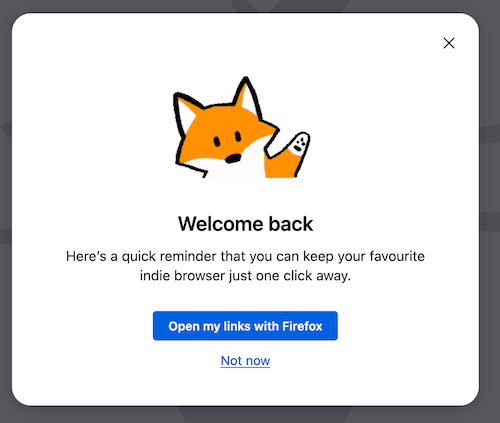
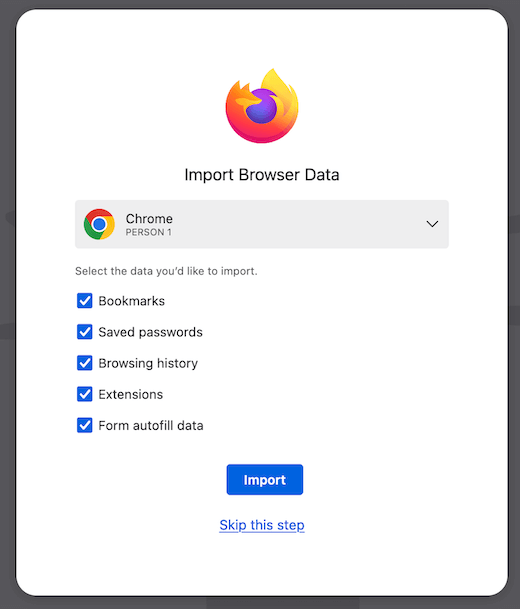
To view more examples, visit Skylight and under 'Surface' filter for spotlight for experiment and on-train Spotlight messages. Additionally, following the steps in Testing Spotlights will allow you to preview and edit existing Spotlights. PanelTestProvider is an additional resource to view sample Spotlight message configurations by searching for template: "spotlight".
Testing Spotlights
- Easy message creation
- Easy message creation
- Easy message creation
- Easy message creation
- Easy message creation
- Easy message creation
- Easy message creation
Testing with Experimenter or locally:
Additionally, you can test Spotlights by creating an experiment through Nimbus Experimenter. Messaging Journey captures creating and testing experiments via Nimbus and landing messages in Firefox. See OnboardingMessageProvider for on-train examples.