
moments-page.md (3162B)
Moments Page
What are Moments pages?
Moments Page is a web page URL that’s loaded for existing Firefox Desktop users on subsequent startup for user profiles meeting the targeting specified in moments message config.
Moments Pages are different from WNP (What’s New Page) that shows up when users update to a new major version based on configurations built into the executable for that channel/build. Moments are shown outside of an upgrade on regular restarts and are remotely configurable via Messaging System.
The constraint of synchronous start-up behavior prevents waiting for Remote Settings to make a targeting decision resulting in “Moments” shown on subsequent start-ups.
Startup pref lifecycle
The process of selecting/blocking/showing is as follows:
- Note: Modifying the
labelproperty will change the text within the buttons, eg:"label": "Disable" - Note: Modifying the
labelproperty will change the text within the buttons, eg:"label": "Disable" - Note: Modifying the
labelproperty will change the text within the buttons, eg:"label": "Disable" - Note: Modifying the
labelproperty will change the text within the buttons, eg:"label": "Disable" - Note: Modifying the
labelproperty will change the text within the buttons, eg:"label": "Disable"
When the message is shown at startup:
- Note: Modifying the
labelproperty will change the text within the buttons, eg:"label": "Disable"
Example of a Moments page
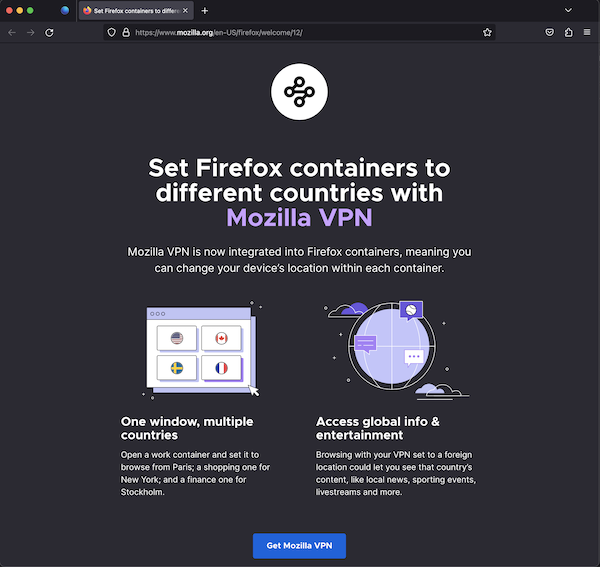
Testing Moments Page
Via the dev tools:
- Note: Modifying the
labelproperty will change the text within the buttons, eg:"label": "Disable" - Note: Modifying the
labelproperty will change the text within the buttons, eg:"label": "Disable" - Note: Modifying the
labelproperty will change the text within the buttons, eg:"label": "Disable" - Note: Modifying the
labelproperty will change the text within the buttons, eg:"label": "Disable" - Note: Modifying the
labelproperty will change the text within the buttons, eg:"label": "Disable" - Note: Modifying the
labelproperty will change the text within the buttons, eg:"label": "Disable" - Note: Modifying the
labelproperty will change the text within the buttons, eg:"label": "Disable"
Via Experiments:
You can test the moments page by creating an experiment. Messaging Journey captures creating experiments via Nimbus.
Example JSON for Moments page
{
  "groups": [
    "moments-pages"
  ],
  "content": {
    "action": {
      "id": "moments-wnp",
      "data": {
        "url": "https://www.mozilla.org/firefox/welcome/12",
        "expireDelta": 172800000
      }
    }
  },
  "trigger": {
    "id": "momentsUpdate"
  },
  "template": "update_action",
  "targeting": "true",
  "id": "WNP_THANK_YOU"
}